Every year the IT industry produces a huge number of new resources and platforms that make everyday tasks easier. But businesses are often not properly informed about them and are wary of change. Telephony is a case in point: ordinary phones are intuitive and easy to understand, but an IP PBX raises plenty of questions.
What a telephone exchange is, what it does and the main types
A PBX (private branch exchange) is a combination of equipment, protocols and information systems. Its main tasks are to:
- receive and analyse incoming calls;
- route calls to the right destination;
- carry media;
- handle voice messages;
- support video conferencing.
Its features can be extended depending on the type. There are two broad groups, on-premises and cloud PBX systems, each with its own strengths and weaknesses.
A PBX is governed by protocols and servers, including:
- the dial plan: a clear, step-by-step description of how calls and data are routed, setting out how incoming calls are received, processed and forwarded;
- the SIP protocol, which accepts incoming requests, processes them and alerts the called party, and is responsible for signal quality and media transfer;
- VoIP, which carries voice and powers interactive voice menus.
There are many other protocols, each with its own area of responsibility: data integrity, security, image transfer and video calls.
What is a cloud PBX?
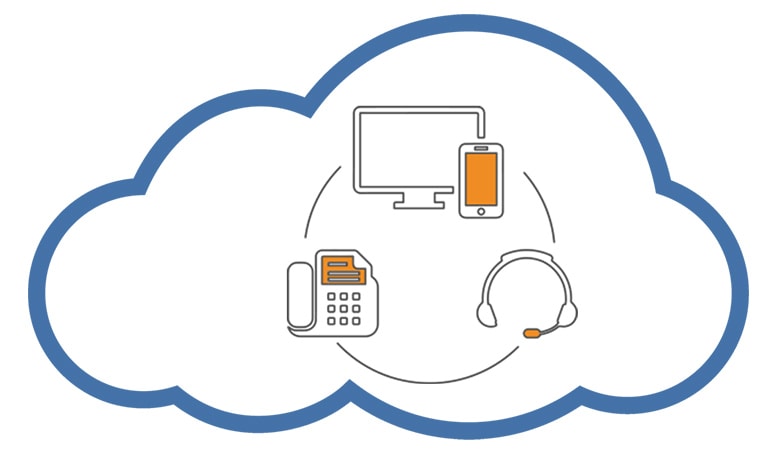
A cloud PBX carries telephone traffic over the internet. It also goes by other names: virtual PBX, hosted PBX or cloud PBX. Compared with an on-premises system it has several distinctive features:
- it needs no dedicated room for network equipment, because the data is stored in a virtual store, the cloud;
- it is connected through media gateways or specialised software;
- connections work like any internet service: over the office network for computers and over 3G or 4G for mobile devices;
- the core PBX functions listed above form the basis of virtual telephony, and extensions and extra options can be added on top as the business needs them;
- it supports remote working: offices, departments and branches can be anywhere in the world and still communicate smoothly.
Its main distinguishing feature is statistics. Information is collected about every call, and calls are recorded. This lets you assess staff performance and plan improvements to service quality, which is especially important for dispatch teams, technical support and contact centres.
How a cloud service works
A virtual PBX works on a simple principle. In outline:
- a customer calls;
- they reach an integrated voice menu, where an automated attendant invites them to choose a department, branch or specialist;
- the call reaches the PBX platform, where protocols identify the destination and route the call to it.
You can also add call waiting and a virtual queue, which helps when there are many customers and agents are busy.
The core of a cloud PBX is its call routing system, which processes, analyses and forwards incoming calls quickly.
Another feature of a cloud PBX is callback: the website is integrated with telephony, so customers can leave a request on the site and agents call them back.
A virtual system is highly reliable, with no risk of outages caused by equipment faults or human error. Personal data is also better protected: dedicated protocols prevent leaks, interception of messages and eavesdropping on calls.
On-premises or virtual telephony?
The choice depends on the business: its scale, the number of staff, departments, offices and branches, and the need for stable communication between staff, customers, partners and sponsors. Classic on-premises telephony has some advantages:
- you control the system yourself;
- it doesn't depend on a remote server, so network problems can't cause an outage;
- it adapts easily to the business's needs and has extended features.
Virtual telephony shares these advantages, so when choosing it is worth looking at the drawbacks of on-premises systems too:
- no mobility: the system is tied to one address;
- no data on incoming calls;
- connection, configuration and maintenance are difficult;
- it needs special, expensive equipment;
- tariffs are fairly high.
Choosing a PBX is an important step in modernising a business. Weigh up the main advantages, drawbacks and terms. A comparison table like the one below helps.
| Feature | On-premises PBX | Cloud PBX |
|---|---|---|
| Who can set it up? | A specialist from the provider | An in-house developer |
| How long does connection take? | 5–7 working days | Within a day |
| Multiple channels (serving several users at once) | Yes | Yes |
| Adding new staff | A new line is needed | New staff can use existing numbers |
| Forwarding within a department (if one agent is busy, the call passes to another) | No | Yes |
| Website integration | No | Yes |
| Answering machine | Yes | Yes |
| Missed call notifications | No | Yes |
| Call recording | Some systems | Yes |
| Call statistics | No | Yes |
A table like this shows which features your organisation needs and how important each one is.
Why does a business need a virtual PBX?
Modern telephony opens up new opportunities for growth. It brings the most benefit when you know exactly what the PBX should do for your organisation. Specialists highlight these reasons for choosing a cloud PBX:
- A trustworthy image. Customers trust organisations with a local number. Small businesses that do most of their communication by mobile phone should bear this in mind.
- Better service. Agents are less likely to miss calls or be unable to answer, and they can give customers the information they need quickly.
- Lower costs. No equipment to buy, no room to fit out and no staff to train.
- Control. You can monitor operations and the quality of work, and improve how the company is organised.
- Call recording, which helps resolve disputes and gather statistics.
- Offices anywhere in the world.
These are the strengths of a cloud service. Specialists value it above all because it is easy to install and needs no specialised equipment or cabling, which makes the most of office space. It is ideal for small organisations and remote teams.
Introducing a cloud PBX
A successful roll-out needs a step-by-step approach. Prepare carefully, choose a provider and check that your mobile and computer equipment is in good working order. The market is full of providers offering IP PBX services on different terms, with different tariffs and different standard and optional features.
Connection goes like this:
- Define your goals, the requirements for the system, the key features and your budget, and choose a provider on that basis.
- Install the software. Some set-ups need special equipment such as an IP phone or headset; check with the provider in advance.
- Choose your numbers: mobile or landline, owned or rented from the provider.
- Connect the numbers to the virtual PBX.
- Set up the media exchange.
The process takes a few hours, depending on the complexity of the installation, the number of lines and the size of the business.
A cloud PBX is an excellent solution for business. It can take large organisations to a new level and make small businesses more profitable. Approach it carefully and choose your provider with care: read online reviews, because fraud and theft of confidential information do happen. Follow this advice and you will get high-quality service at a reasonable price, a long-lasting system and a rich set of features.